
Study Admins can reuse an existing study configuration in EnrollNow by importing selected components into a destination study, importing an entire Study Definition file to create a new study, or copying an existing study within the same EnrollNow site. These options can reduce manual setup when studies use similar statuses, events, surveys, templates, and workflows. Only study configuration is transferred during these processes; participant data is never included.
Before You Begin
Before importing study components, confirm the following:
- You have Study Admin permissions for the destination study.
- You have access to the Study Definition JSON file you want to import, when applicable.
- You have identified the destination study where the components will be added.
The destination study may be an existing study or a newly created study.
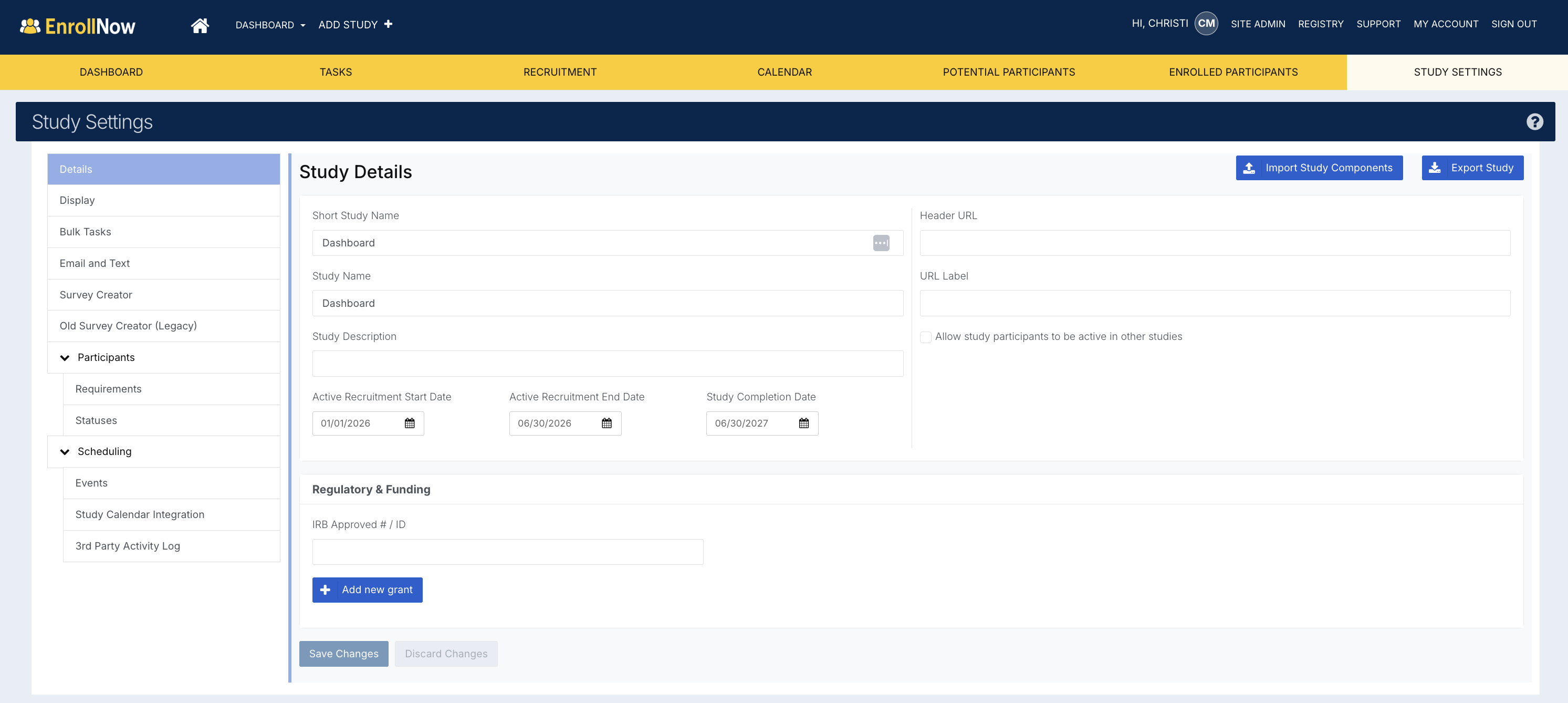
Importing Selected Study Components
Use this option when you want to import only specific components from a Study Definition file rather than the entire study configuration.
To import selected components:
- Open the study where you want to add the components, or create a new study.
- Go to Study Settings in the left-hand menu.
- Select the Details page.
- Click the Import Study Components in the upper right.
- Select the Study Definition JSON file from your computer.
-
A pop-up window will appear, allowing you to select the components you want to import.
To import all items within a component, select the checkbox next to the component name. To import only specific items, such as individual surveys, click the component name to expand the list. Then, select the checkbox next to each item you want to include.
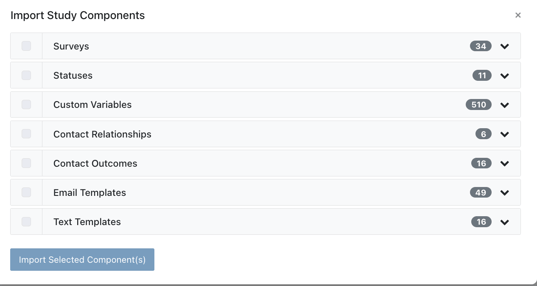
- Click Import Selected Component(s).
- Confirm the import by selecting Yes, import components.
After the import is complete, the selected components become part of the destination study and can be reviewed and edited as needed.
Keeping Related Components Connected
Some study components may reference or depend on other components within the study.
For example, email or text message templates may contain survey links or references to other study items. When possible, import all related components together to help preserve these connections and ensure the workflow functions as expected.
After importing, review all copied components to confirm that links, templates, settings, and workflows are configured correctly for the destination study.
Important Notes
-
Imported components become part of the destination study setup. After importing, review the imported items to confirm they are configured correctly for the new study.
-
Participant data is not shared when importing study definitions or components of a study.
Importing an Entire Study Definition
Use this option when you want to create a new study using the complete configuration contained in a Study Definition file.
To import an entire study configuration:
- Click Add Study + in the EnrollNow header.
- Enter a short name for the new study.
- Select Import Study.
- Choose the Study Definition JSON file from your computer.
- Click Open.
EnrollNow will create a new study using the configuration contained in the Study Definition file. The new study will appear in the list of available studies and open automatically.
This process imports the complete supported study configuration and does not allow you to select individual components.
Copying an Existing Study
If the study you want to copy already exists within the same EnrollNow site, you can create a new study from that configuration without downloading and uploading a Study Definition file.
To copy an existing study:
- Click Add Study + in the EnrollNow header.
- Enter a name for the new study.
- Select Copy from Existing Study.
- Use the drop-down menu to select the study you want to copy.
- Click Submit.
Once the copy is created, the original study and the copied study function independently. Changes made to one study will not affect the other.
This option is helpful when your organization creates multiple studies that use similar components, workflows, or configuration settings.
Important Considerations
- Only study configuration is imported or copied.
- Participant records and participant data are not included.
- Imported components become part of the destination study.
- Review all imported settings before using the new or updated study.
- Update any study-specific wording, links, dates, templates, or workflows as needed.
Limitations
The following components are not included in the Study Definition import process:
- Recruitment Pages
- Bulk Tasks
These components must be configured separately in the destination study.