
To ensure participants appear as available in the Registry and can be added to one or more studies, two key configurations must be reviewed:
- Multi-Study Participation settings
- Participant Status configuration
Both settings work together to determine whether a participant is eligible to be added to additional studies.
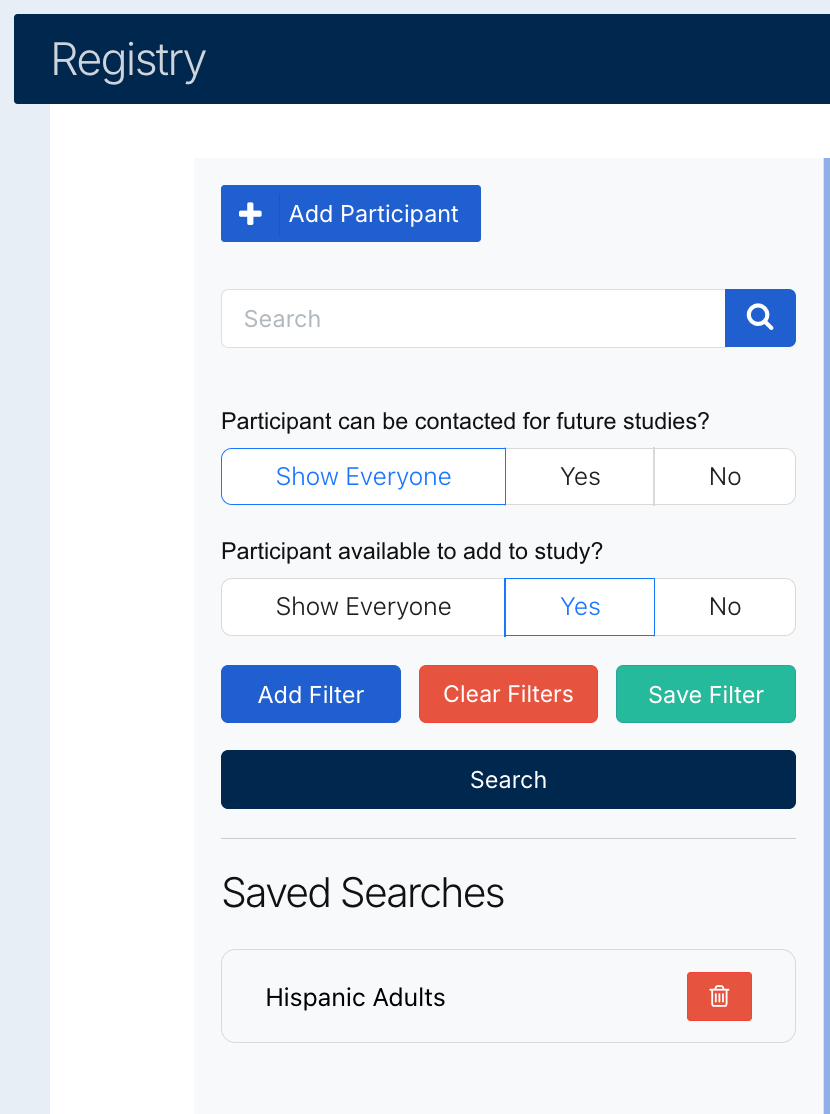
Multi-Study Participation Setting
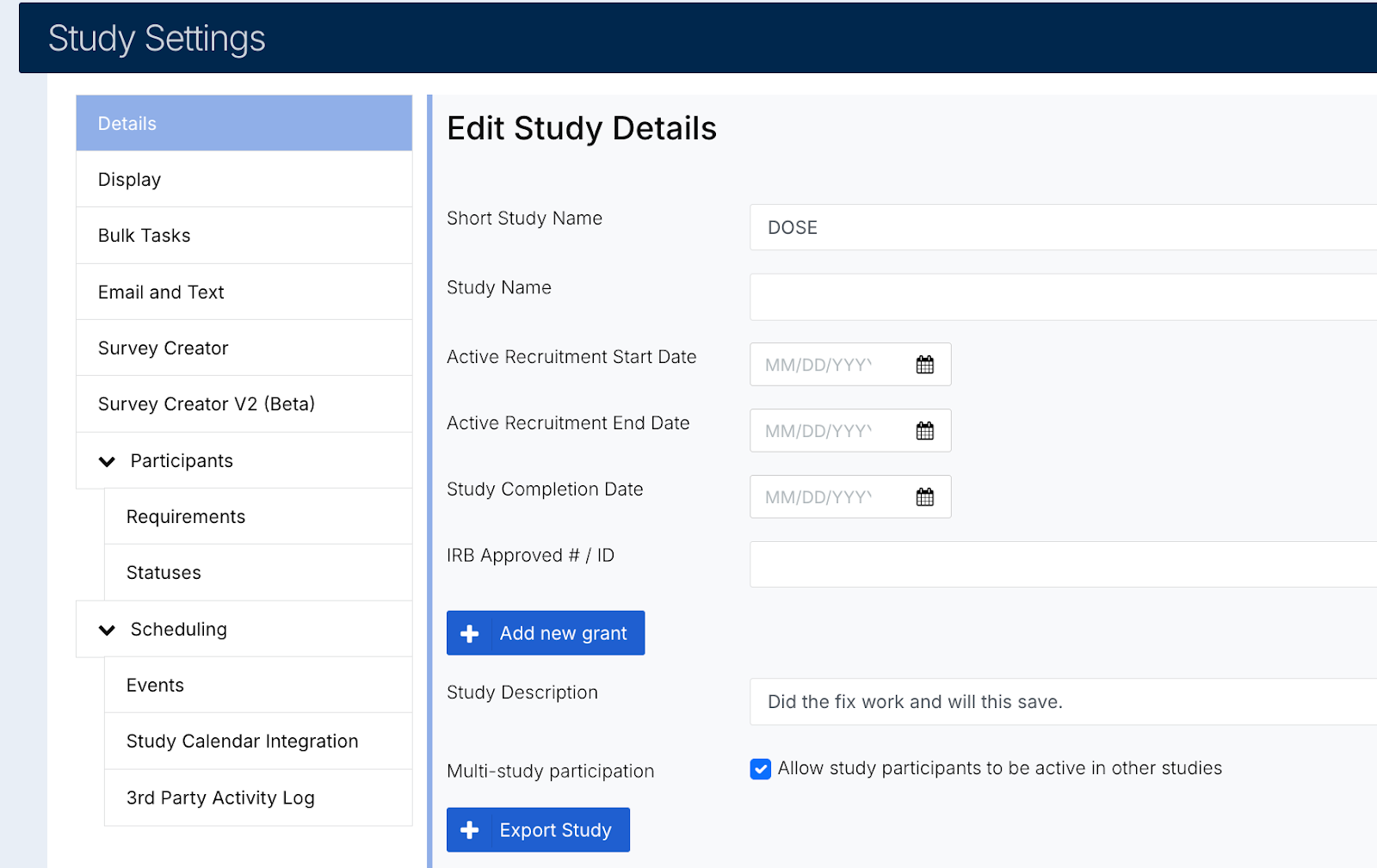
Within each study:
- Navigate to:
Study Settings → Details tab - Locate the checkbox for Multi-Study Participation
How it works:
- This setting determines whether participants in a study can be enrolled in more than one study at the same time.
- For a participant to appear as available in the Registry:
- The Multi-Study Participation checkbox must be enabled in all studies the participant is currently assigned to.
Example:
- Participant A is enrolled in:
- Study 1 → ✅ Multi-Study Participation enabled
- Study 3 → ❌ Multi-Study Participation disabled
Result:
Participant A will not appear as available to be added to another study.
Participant Status Configuration
Participant availability is also impacted by their current status within a study.
To review status settings:
- Navigate to:
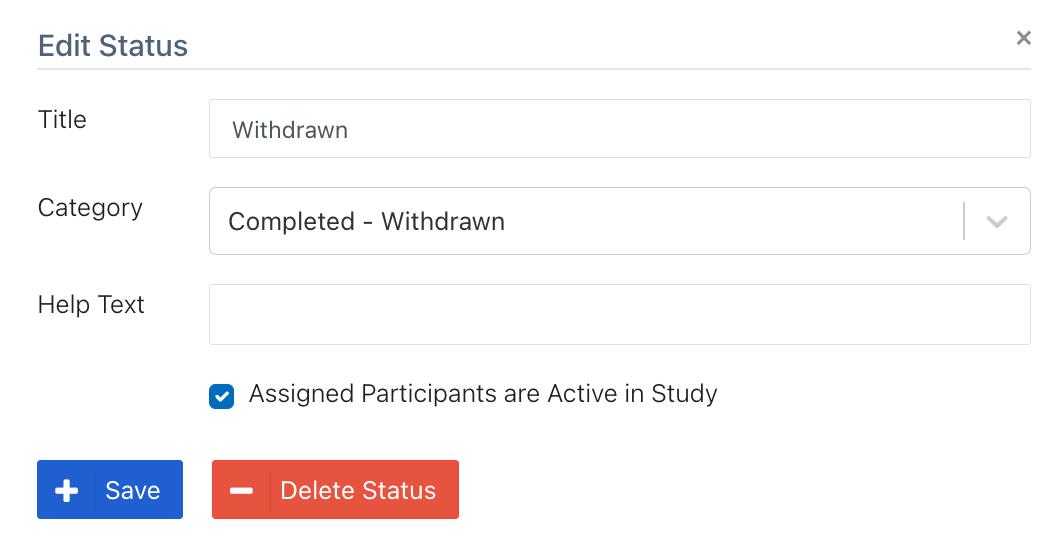
Study Settings → Statuses - Select the relevant status (e.g., Withdrawn)
- A modal will open with:
- Title
- Category
- Help Text
- Checkbox: “Assigned Participants are Active in Study”
Key Consideration:
- If a participant is in a status such as Withdrawn, they are no longer actively participating in the study.
- In this case:
- The checkbox “Assigned Participants are Active in Study” should be unchecked
Why This Matters:
- Participants marked as active are considered “in use” by that study
- Participants marked as inactive:
- Can be treated as available for enrollment in other studies
- Are more likely to appear when filtering in the Registry
Best Practices
To ensure participants are available for multi-study enrollment:
- Enable Multi-Study Participation in all applicable studies
- Review participant statuses and:
- Uncheck “Assigned Participants are Active in Study” for inactive statuses (e.g., Withdrawn, Ineligible)