
The Support tab in the upper-right corner of the EnrollNow platform provides access to the EnrollNow Knowledge Base and additional customer support resources.
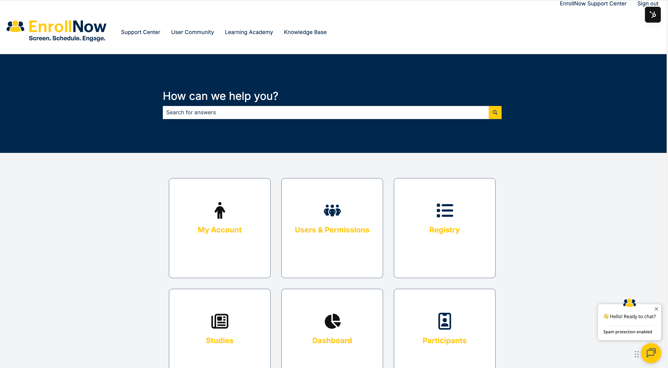
Search the Knowledge Base
The EnrollNow Knowledge Base includes:
- Step-by-step instructions for completing common tasks.
- Feature overviews that explain how different areas of EnrollNow work.
- Recommended workflows for configuring and managing studies.
- Troubleshooting guidance for common questions or issues.
- Information that can help your team plan and improve its EnrollNow processes.
Use the search bar on the Knowledge Base landing page to search for a topic, feature, or workflow. You can also browse articles by category, such as My Account, Users & Permissions, Registry, Studies, Dashboard, and Participants.
Open the EnrollNow Support Center
Select EnrollNow Support Center in the upper-right corner of the Knowledge Base page to access the Customer Corner and additional support options.

Support Center
Use the Support Center to view and track Support Tickets requests submitted by your team.
Click here to create a sign-in for the EnrollNow Support Center before you can access your team’s support tickets. Once your account is created, sign in to review available ticket details, previous requests, and ticket statuses.
User Community
Select User Community to connect with other EnrollNow users, share ideas, and learn how other teams use the platform.
Access to the User Community requires approval. Users must submit a request to join before they can participate.
Learning Academy
Select Learning Academy to access available learning and training content. These resources can help users build their knowledge of EnrollNow features, workflows, and recommended practices.
Knowledge Base
Select Knowledge Base at any time to return to the searchable collection of EnrollNow help articles.
Start a Live Chat
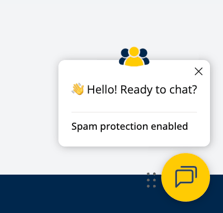
To speak with an EnrollNow team member through live chat, select the yellow chat icon in the bottom-right corner of the screen.
The live-chat window allows you to ask questions and receive assistance from an available EnrollNow team member during regular business hours (holidays may affect availability). If no team member is immediately available, follow the prompts in the chat window to submit your question or contact information.